
5 Reach Killers I See Every Week on Instagram (And How to Fix Each One)
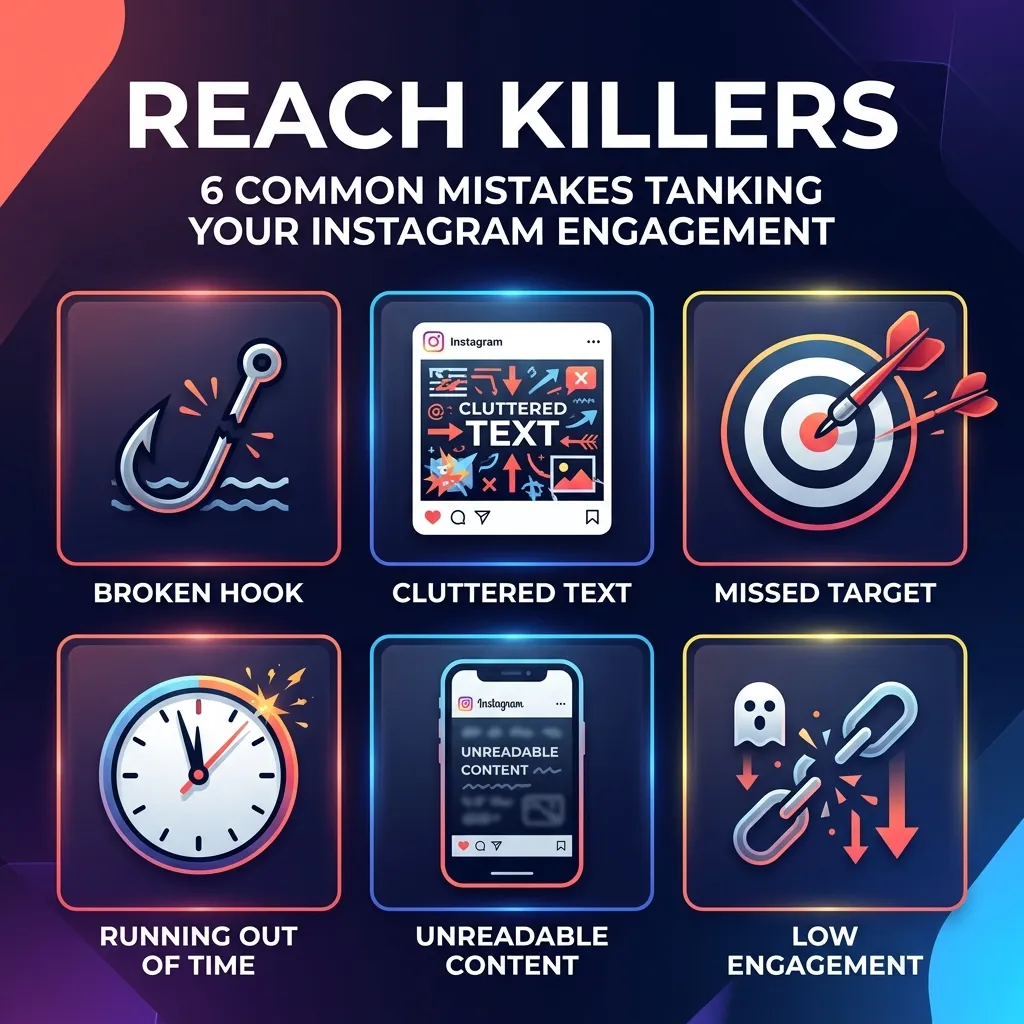
I review about 15–20 creator accounts per month. Different niches, different follower counts, different aesthetics, different content styles. But the same mistakes show up almost every single time.
The frustrating part? None of these are algorithm problems. They're craft problems — things that are entirely within your control. Fix them, and your reach starts recovering within a couple of weeks. I've seen it happen consistently enough that I can almost predict the turnaround.
Here are the seven reach killers I see most often, with specific fixes for each one.
Killer 1: No Hook — Just a Title
Your first slide says "5 Tips for Better Mornings" and you wonder why nobody swipes. That's a title, not a hook. A title tells people what the post is about. A hook makes them care enough to read it.
Before: "Social Media Tips for Beginners" After: "I've wasted 500+ hours on Instagram. Here's what would've saved me."
The first is a category label. The second is a story with stakes. The difference in swipe-through rate between these two approaches is typically 3–5x.
The fix: Rewrite every first slide as a question, a bold claim, or a personal statement that triggers curiosity. If your first slide could be the title of a thousand other posts, it's not specific enough to stop anyone's scroll.
Killer 2: Way Too Much Text Per Slide
I see carousel slides with 80+ words regularly. Sometimes 100+. Nobody reads those — at least not on a phone, in bed, at half brightness, while also checking notifications. If your slide looks like a textbook paragraph, people swipe past, or worse, swipe away entirely.
Before: A slide with 4 paragraphs explaining why engagement matters, covering multiple sub-points, with examples embedded inline. After: One sentence. "Saves tell the algorithm your content is worth showing to more people." Period.
The fix: One idea per slide. Maximum 30–40 words. If you can't cut it down, you need another slide, not a smaller font. White space isn't wasted space — it's breathing room that makes your message scannable.
Killer 3: Posting Without a Content Strategy
Random topic Monday, completely unrelated take Tuesday, motivational quote Wednesday, product photo Thursday. Your audience can't figure out what you're about, so the algorithm can't either.
Instagram's algorithm builds an audience profile for your account. It learns who engages with your content and finds similar users. If your content is scattered across unrelated topics, the algorithm doesn't know who to show it to — so it shows it to fewer people overall.
The fix: Pick 3–4 content pillars. Every single post should clearly fit one of them. Write them down. Put them somewhere you'll see them every time you create content.
Examples of content pillar sets:
- For a fitness creator: Workout tips | Nutrition | Mindset | Personal stories
- For a marketing creator: Growth strategies | Content creation | Tool reviews | Case studies
- For a food creator: Recipes | Kitchen tips | Ingredient guides | Behind the scenes
This doesn't mean being boring. It means being recognizable. Your audience should know what to expect from you — and the algorithm should know who to show your content to.
Killer 4: Ignoring the First Hour After Posting
You post and walk away. Maybe check back 4 hours later. By then, the algorithm has already made its decision — and it wasn't in your favor.
The first 30–60 minutes after posting are when Instagram runs its initial distribution test. Your post gets shown to a small sample of your followers. If that sample engages quickly — likes, comments, saves, shares — the algorithm expands distribution. If they don't, the post gets suppressed.
Walking away after posting is like launching a product and closing the store immediately.
The fix:
- Reply to every comment within the first hour. Not "thanks 🙏" — actually reply. Ask a follow-up question. Your replies count as additional comments.
- Post a Story linking to the new post. This drives your most engaged followers to the post immediately.
- Engage with 10–15 accounts in your niche right before and after posting. This signals activity to the algorithm.
- Ask a question in your caption that's easy to answer. Low-effort questions get more responses, which gets the engagement flywheel spinning faster.
Killer 5: Designing for Yourself, Not Your Audience
That dark moody aesthetic with light gray text on a charcoal background? It looks incredible on your MacBook monitor in your well-lit office. It's completely unreadable on a phone in sunlight, which is where 90% of your audience is consuming your content.
I see this mistake constantly from creators with design backgrounds. They optimize for aesthetic beauty instead of functional readability. On Instagram, readability IS the aesthetic that matters.
Before: Thin serif font, 14pt, cream text on a dusty rose background. Beautiful on desktop. Invisible on mobile. After: Bold sans-serif font, 24pt, white text on a dark navy background. Not as "elevated." Dramatically more readable.
The fix: Test every carousel slide on your phone at arm's length before posting. If you squint even slightly, increase the contrast, increase the font size, or change the color scheme. Function first, aesthetic second. A gorgeous slide that nobody can read is a gorgeous slide that kills your reach.
Killer 6: Inconsistent Posting Schedule
Posting 7 times one week, twice the next, then 5 times, then going dark for 10 days. This pattern confuses both your audience and the algorithm.
Your followers develop expectations — unconsciously. If you post every Monday, Wednesday, and Friday at 9 AM, your most engaged followers start checking around those times. The algorithm also learns your cadence and prepares your audience for distribution at those intervals.
Irregular posting breaks both of those patterns. The algorithm doesn't know when to "warm up" your audience, and your followers stop expecting your content.
The fix: Pick a schedule you can maintain for 90 days without heroic effort. If that's 3 posts per week, great. If it's 5, fine. The specific number matters less than the consistency. Write the schedule down. Set calendar reminders. And if you're going to miss a day, batch content ahead of time so the schedule stays intact.
Killer 7: Not Optimizing for the Right Format
Some creators post only carousels in a niche where Reels dominate discovery. Others post only Reels when their audience primarily engages with detailed carousel content.
The algorithm has format preferences that shift by niche and audience. Your analytics will tell you which format drives the most reach for YOUR specific audience — but most creators never check.
The fix: Go to Instagram Insights → Content → See All. Sort by reach. Look at the top 10 posts by reach over the last 90 days. What format are they? Reels? Carousels? Single images? Double down on whatever format your audience rewards with reach.
This doesn't mean abandoning other formats entirely. It means allocating your production effort proportionally. If Reels drive 80% of your reach, they should get 80% of your creative energy.
How to Audit Your Own Account
You don't need to hire me to find these mistakes. Here's a 15-minute self-audit:
Step 1: Screenshot your last 9 posts. Look at them as a grid. Does the page look cohesive? Can you identify the niche in 5 seconds? Are the first slides hooks or titles?
Step 2: Check text density. Open your last 3 carousels and look at the slides with the most text. Could you read them comfortably on a phone without zooming in? If not, you have a readability problem.
Step 3: Check your posting pattern. Go to your Instagram Insights and look at posting frequency over the last 30 days. Is it consistent, or does it spike and dip? Count the number of days between posts. If it varies by more than 2 days, your schedule is inconsistent.
Step 4: Check format distribution. What percentage of your posts are Reels, carousels, and single images? Compare that to which format drives the most reach. If there's a mismatch, you're underinvesting in your strongest format.
Step 5: Check first-hour engagement. For your last 5 posts, when did the first 10 comments come in? If it took more than 2 hours, you're not showing up for your own content after posting.
What Happens After You Fix Them
Here's the timeline I typically see when creators address these issues:
Week 1–2: Slight improvement. Your hooks are better, your slides are cleaner, but the algorithm hasn't fully recalibrated yet. Don't expect dramatic changes.
Week 3–4: Noticeable improvement. Your save rate increases because the content is more readable and actionable. The algorithm starts expanding distribution based on stronger engagement signals.
Month 2: Significant improvement. Non-follower reach increases as the algorithm confidently places your content in front of new audiences. You start getting follows from people who discovered you through Explore or Reels.
Month 3: The compound effect. Better content → better engagement → wider distribution → more followers → more engagement. The flywheel starts turning on its own.
None of these mistakes require talent to fix. They require awareness and intentionality. The algorithm isn't working against you — it's a machine that responds to signals. Send it better signals, and it responds with better distribution.
Fix the craft. The reach follows.